Engineering review for every RFQ
CNC · 3D Printing · Sheet Metal · Injection Molding
Prototype · Low Volume · Production
Process, material, finish and inspection decisions connected

Shenzhen, China

Search
Menu

A practical manufacturing partner connecting process, materials, applications and review.

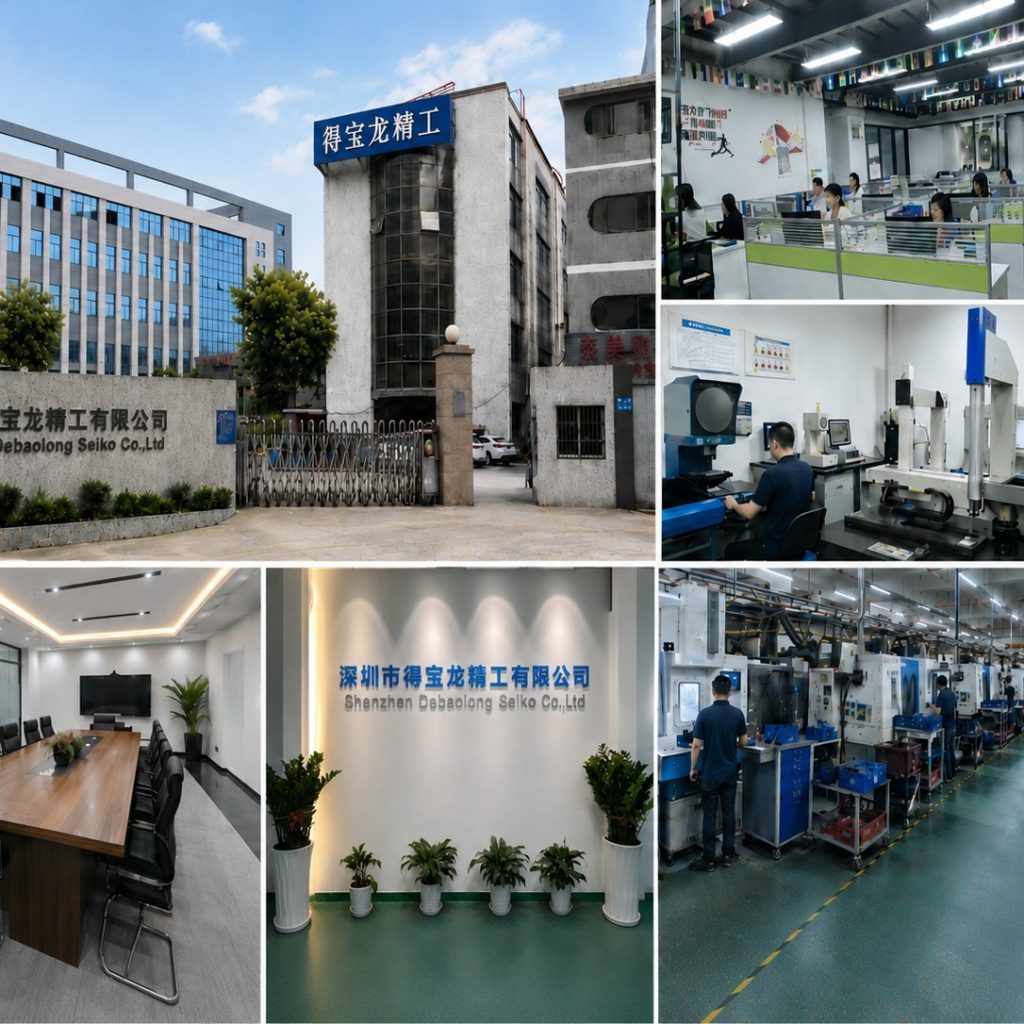
The factory collage shows building, workshop and manufacturing context.

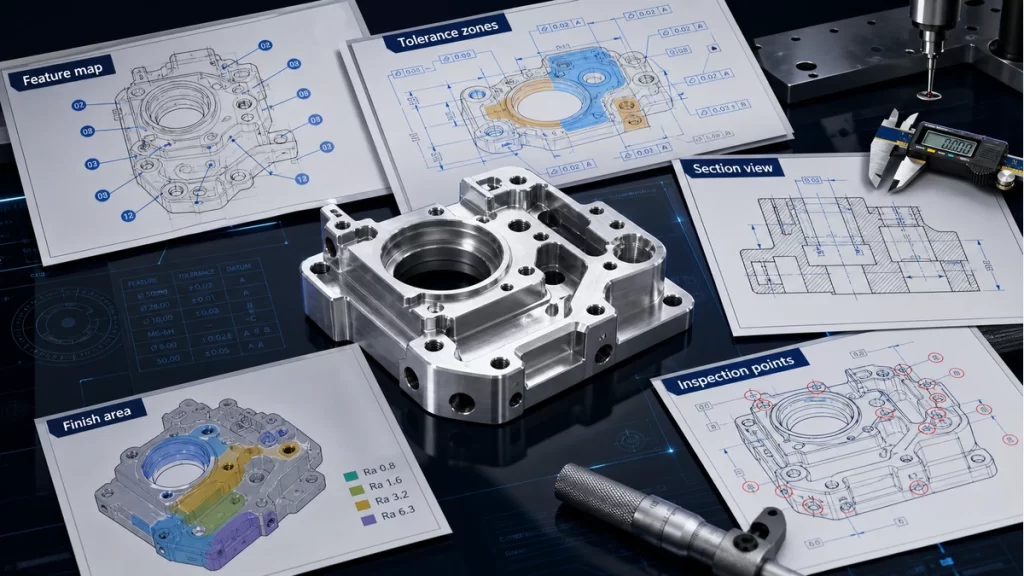
An illustrative planning graphic connects critical features, manufacturing decisions and engineering review. It is not a production inspection record.

Use Contact for general conversation or Engineering Review for a project-specific brief.
SUBTRACTIVE

3 & 5 axis CNC milling

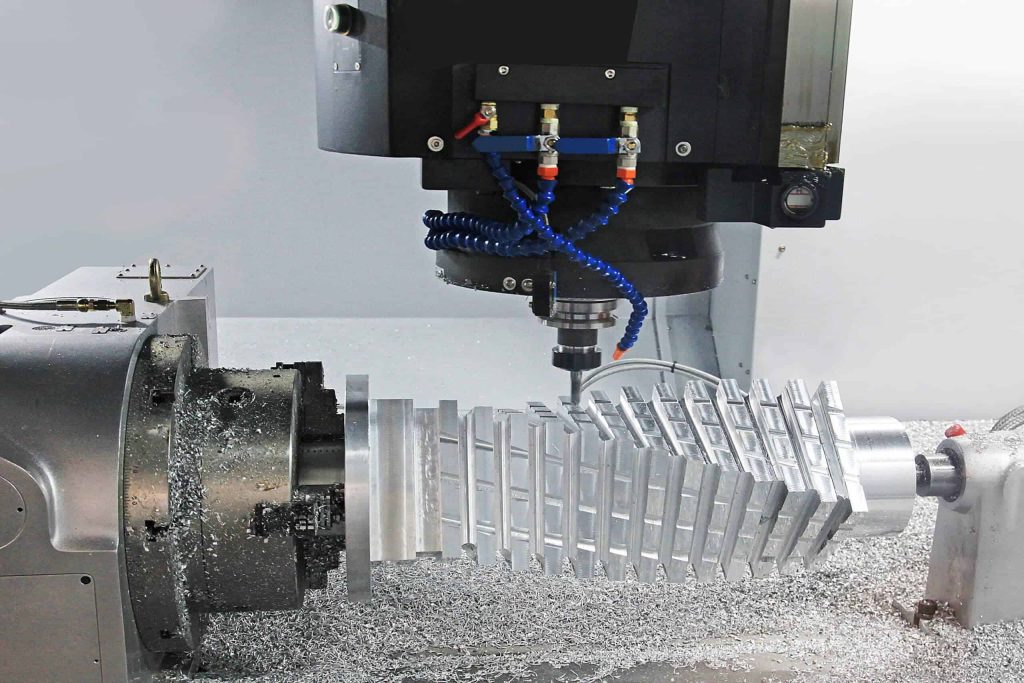
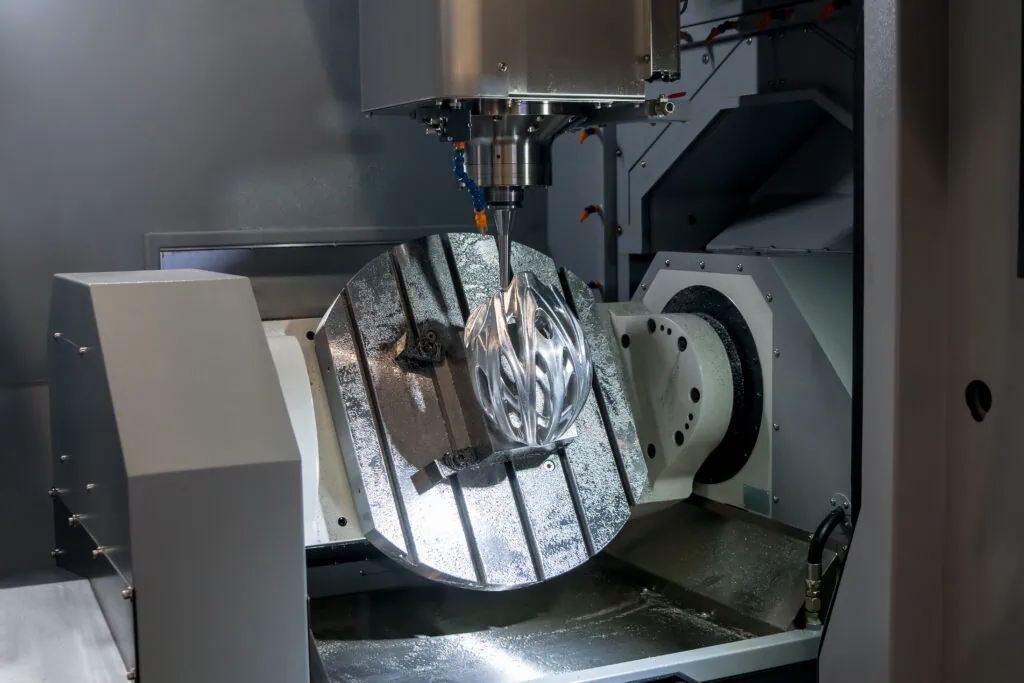
Multi-axis milling reduces setup changes when geometry, access and feature relationships justify the route.
5 axis machining 1024×683
ENGINEERING DOSSIER

Keep tool access, datum continuity and setup evidence in one milling plan

Tool reach, tilt and collision envelope

Three- and five-axis decisions depend on tool access, fixture clearance and whether critical faces can remain in one controlled relationship.

Datums, stock and workholding

State stock condition, clamping zones and datums that protect thin walls, deep features and multi-face relationships.

Toolpath-sensitive surfaces

Identify deep pockets, blended surfaces and interfaces where tool length, deflection or a setup transition can affect the result.

Inspection tied to the setup strategy

Use the drawing to connect datums, critical features and any reorientation to the evidence required at release.
MANUFACTURING ROUTE

Route logic for 3 & 5 axis CNC milling

Multi-axis milling reduces datum transfers when deep pockets, compound angles and multi-face interfaces can remain in one controlled setup. Define stock, clamping zones and reorientation before programming.
Call out tool access, undercuts, holder clearance, thin-wall support, blended surfaces and the datums that survive every orientation.
5 axis machining 1024×683
DECISION CONTROLS

Release controls specific to 3 & 5 axis CNC milling

Best input

Native CAD plus a dimensioned drawing

Key risk

Reach, rigidity and datum transfer

Release evidence

Critical interfaces and setup-aware inspection
PROJECT-SPECIFIC DECISION DATA

Decision record before 3 & 5 axis CNC milling release

Use this table to connect the process decision to the CAD, drawing and inspection evidence. Values remain project-specific until reviewed.
Decision itemWhat must be resolvedEvidence at release
Tool reach, tilt and collision envelopeThree- and five-axis decisions depend on tool access, fixture clearance and whether critical faces can remain in one controlled relationship.Native CAD plus a dimensioned drawing
Datums, stock and workholdingState stock condition, clamping zones and datums that protect thin walls, deep features and multi-face relationships.Reach, rigidity and datum transfer
Toolpath-sensitive surfacesIdentify deep pockets, blended surfaces and interfaces where tool length, deflection or a setup transition can affect the result.Critical interfaces and setup-aware inspection
Inspection tied to the setup strategyUse the drawing to connect datums, critical features and any reorientation to the evidence required at release.Critical interfaces and setup-aware inspection
PART AND PROCESS EVIDENCE

3 & 5 axis CNC milling process, interface and inspection evidence

5 axis machining 1024×683
Five-axis milling setup showing tool access to a contoured workpiece.
cnc milling capabilities 1
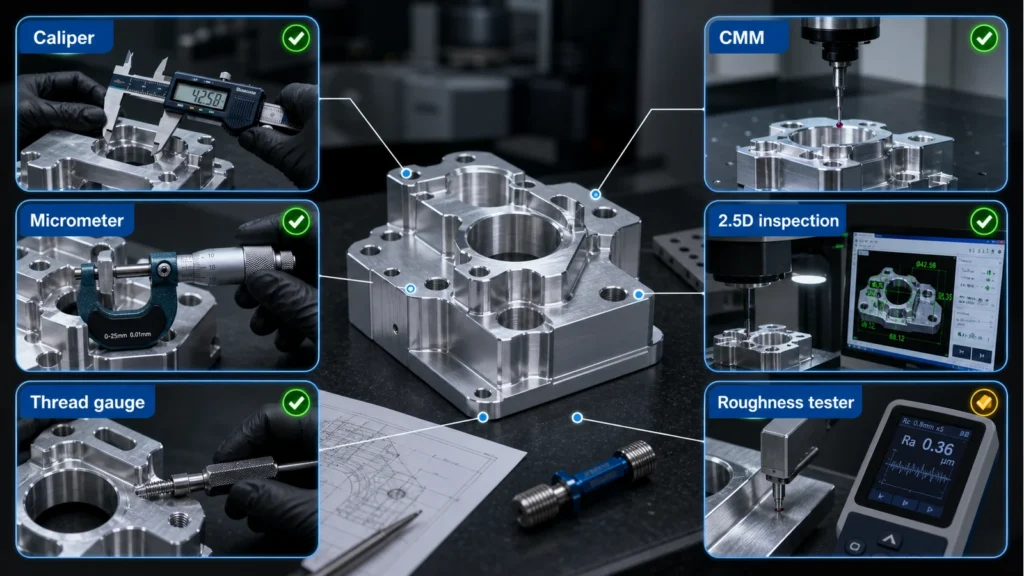
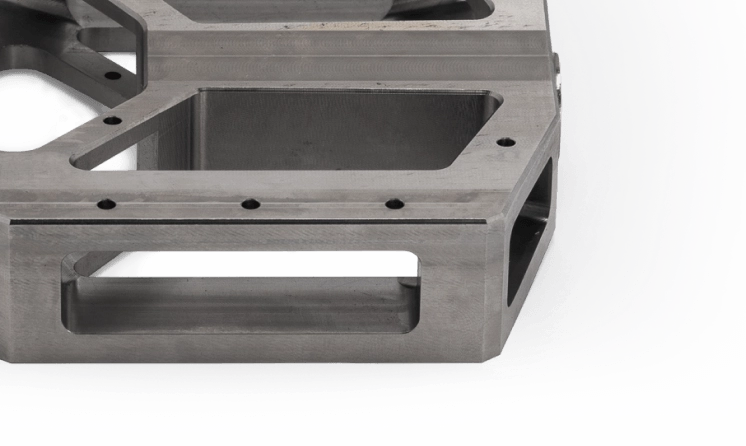
Machined metal part with pockets, cross-holes and milled faces. Review tool access, clamping and datum continuity for the actual CAD geometry.
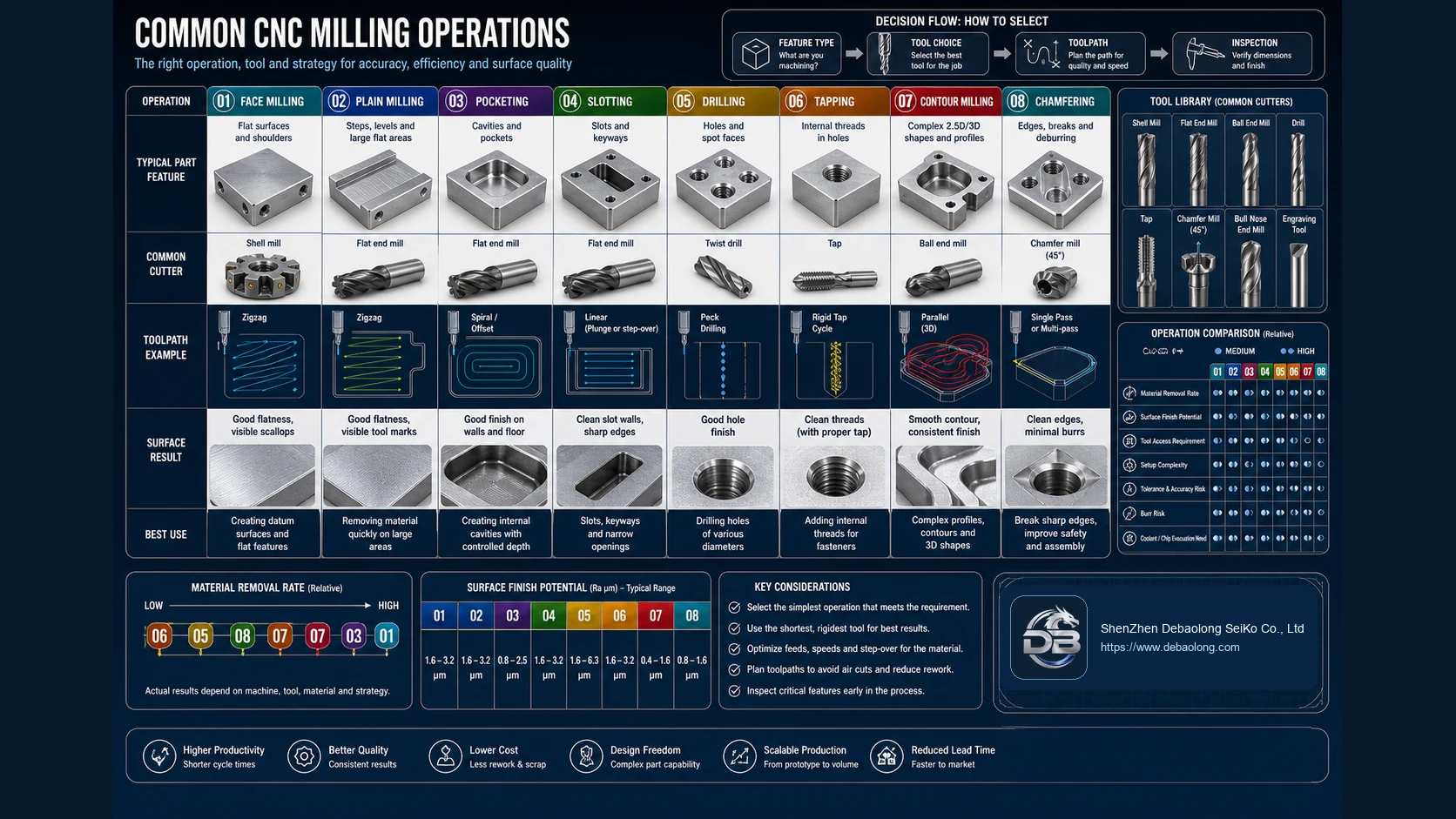
Common CNC milling operations comparison showing face milling, plain milling, pocketing, slotting, drilling, tapping, contour milling and chamfering.
DECISION QUESTIONS

3 & 5 axis CNC milling route and release questions

What must be defined before reviewing 3 & 5 axis CNC milling?

Use the fewest controlled setups that can reach the required features. Three-axis milling may suit faces and pockets accessible from fixed orientations; five-axis access can help with angled or contoured features. Review holder clearance, clamping and the relationships between critical faces before choosing the route.

Which interfaces need project-specific confirmation?

Identify deep pockets, angled holes, thin walls and blended surfaces where access or deflection may affect the result. Mark mating faces, datum features and holes that must align across orientations. State which dimensions apply after finishing and flag any requirement the drawing leaves unresolved.

What should accompany release?

Provide a revision-controlled drawing and matching CAD model, material and finish notes, quantity, datum scheme and critical dimensions. Identify surfaces that need protection and agree how setup-sensitive features will be inspected. Keep acceptance criteria tied to the drawing rather than assuming every machined surface needs the same treatment.
PROJECT BRIEF

3 & 5 axis CNC milling project brief and release checklist

Use these page-specific checks to turn the 3 & 5 axis CNC milling route into reviewable CAD, drawing and inspection inputs.

Geometry and route input — Tool reach, tilt and collision envelope

Three- and five-axis decisions depend on tool access, fixture clearance and whether critical faces can remain in one controlled relationship. Include the relevant CAD orientation, interfaces and quantity in the review brief.

Release evidence — Datums, stock and workholding

State stock condition, clamping zones and datums that protect thin walls, deep features and multi-face relationships. Name the drawing dimensions and inspection evidence required at release.

RFQ handoff — Toolpath-sensitive surfaces

Identify deep pockets, blended surfaces and interfaces where tool length, deflection or a setup transition can affect the result. Upload controlled CAD/drawing inputs and state the unresolved route decision.
CONTINUE THE ENGINEERING REVIEW

Continue the engineering review for 3 & 5 axis CNC milling

Connect this decision to the related manufacturing route, material, finish and file-review workflow.