

3D printing file formats carry different levels of manufacturing information. STL is widely accepted and simple, but it mainly stores triangle mesh geometry. OBJ can include color and texture references. AMF was designed for additive manufacturing data such as units, materials and lattice-like information. 3MF is a modern container format that can store geometry, units, materials, colors and production metadata more reliably. For DEBAOLONG’s 3D printing workflow, the best file is the one that preserves enough information for quoting, slicing, orientation, material selection and inspection without creating avoidable ambiguity. In practice, the best choice is the process route that meets the real engineering requirement while keeping tolerance, finish, inspection, application risk and lead time under control before production begins.
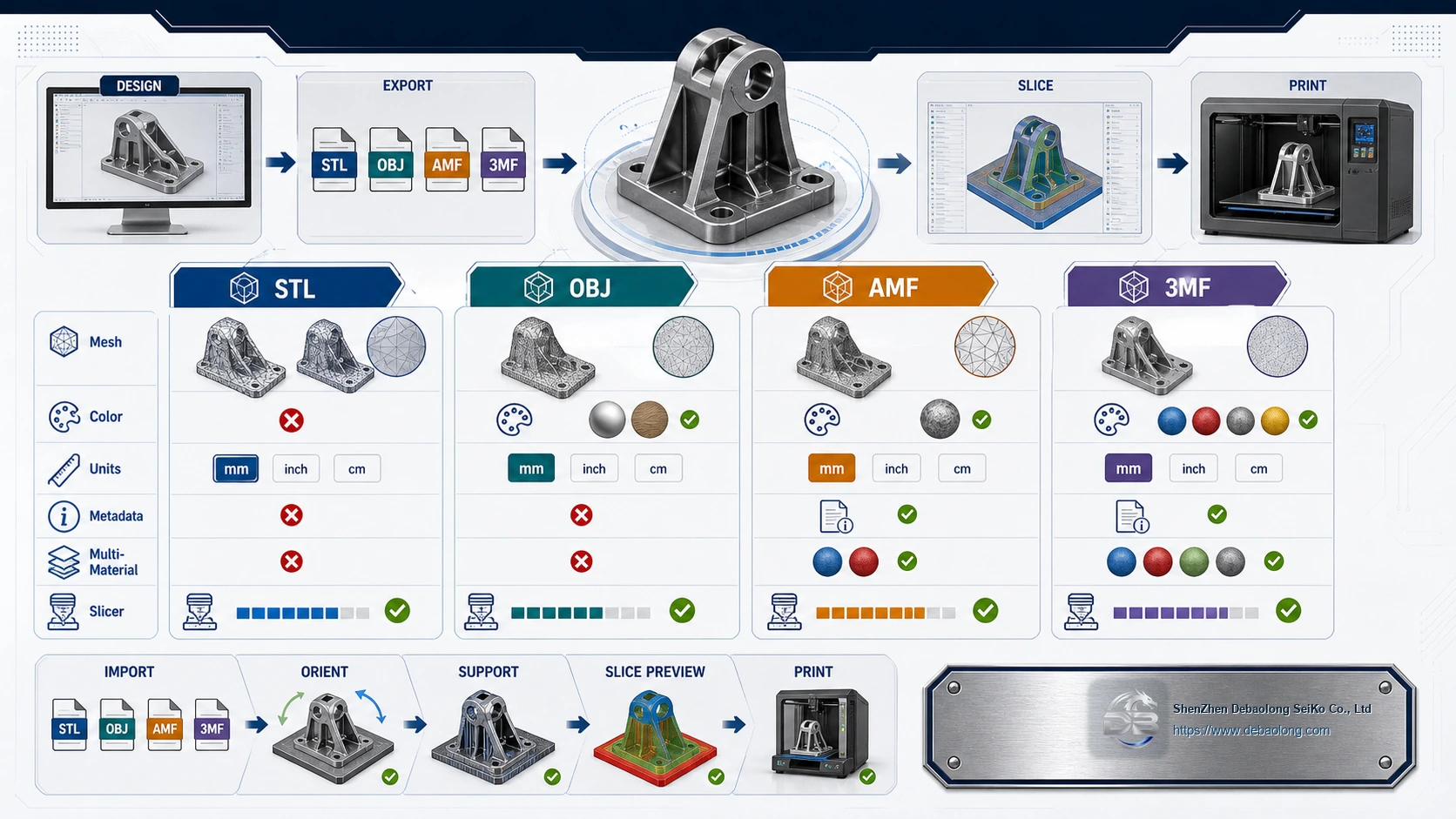
The File Format Controls What Manufacturing Data Survives
The source article compares STL, OBJ, AMF and 3MF by advantages and disadvantages. The key point is that format choice affects units, mesh quality, color, metadata and slicer readiness.
STL: Simple and Universal
STL is still the most common 3D printing exchange format. It is lightweight, easy to export and accepted by most slicers. It works well for single-material geometry when color, texture and assembly metadata are not required.
The disadvantage is that STL does not reliably carry units, color, material, tolerance or design intent. A low-resolution STL can create faceted surfaces, while a damaged mesh can produce slicing errors.
OBJ, AMF and 3MF
OBJ is useful when visual color or texture matters, but it can rely on separate files and may not be ideal for production metadata. AMF supports more additive manufacturing information but is less commonly used in many workflows.
3MF is often a better modern option because it can keep units, materials, color, mesh data and related build information together. It reduces some of the file-management problems found in older workflows.
File Preparation Before Upload
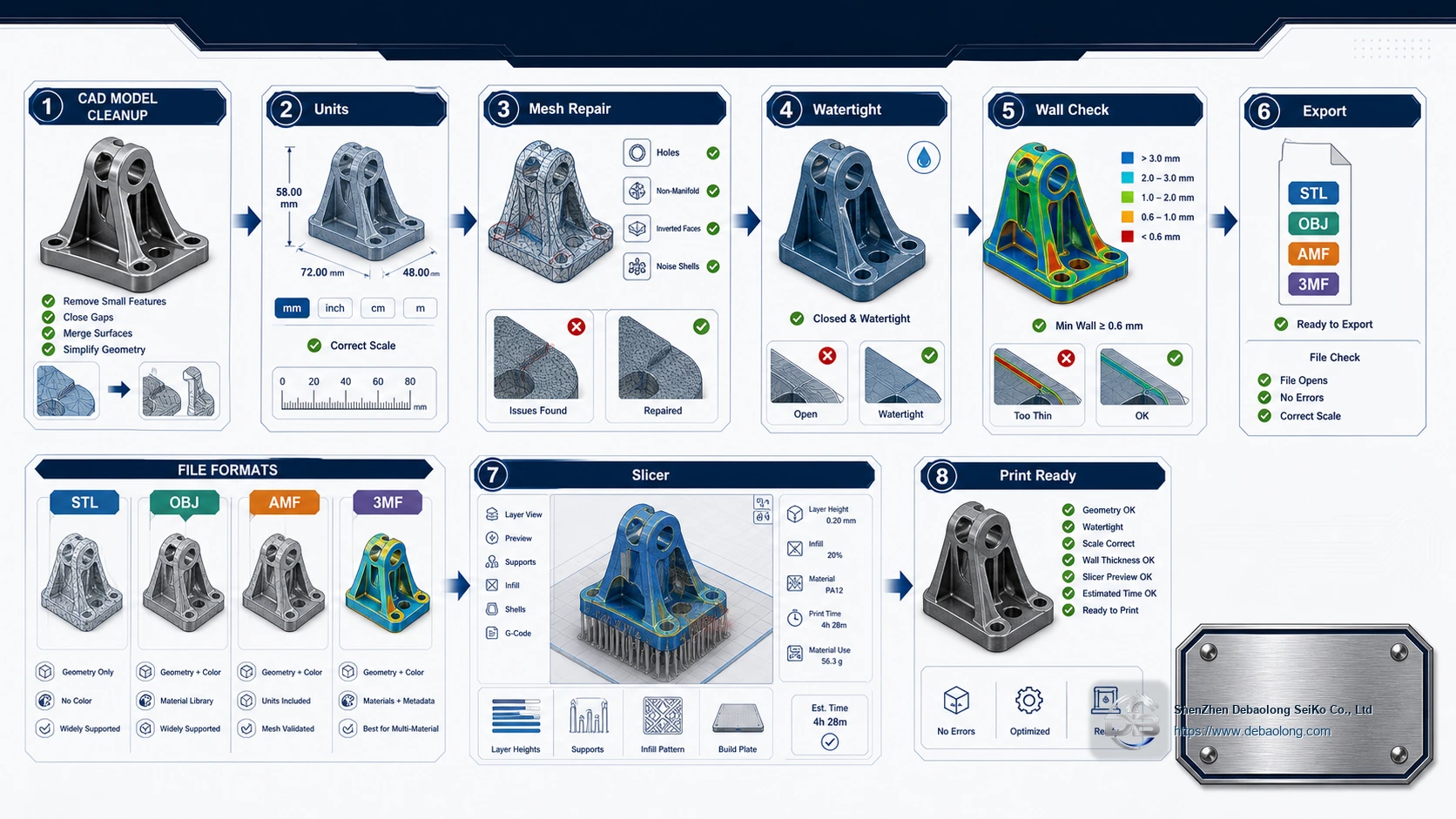
Before sending a file, check units, scale, wall thickness, mesh repair, watertight geometry, small features and orientation. If critical tolerances are required, include a 2D drawing or manufacturing notes, especially when printed parts interface with CNC machined or molded components.
A file that slices successfully is not automatically manufacturable. Thin walls, trapped cavities, unsupported features and missing tolerances still need engineering review.
DEBAOLONG File Review
DEBAOLONG checks print files for geometry quality, material fit, process selection and inspection requirements. For file-preparation guidance across processes, use the knowledge center before releasing final data.
Related Services
Related DEBAOLONG capabilities include 3D printing, CNC machining, sheet metal fabrication, injection molding, material selection support and manufacturing engineering review.